

How to Fix the White Menus in Adobe Apps on Windows (After Effects, Premiere, Photoshop, Lightroom and More)
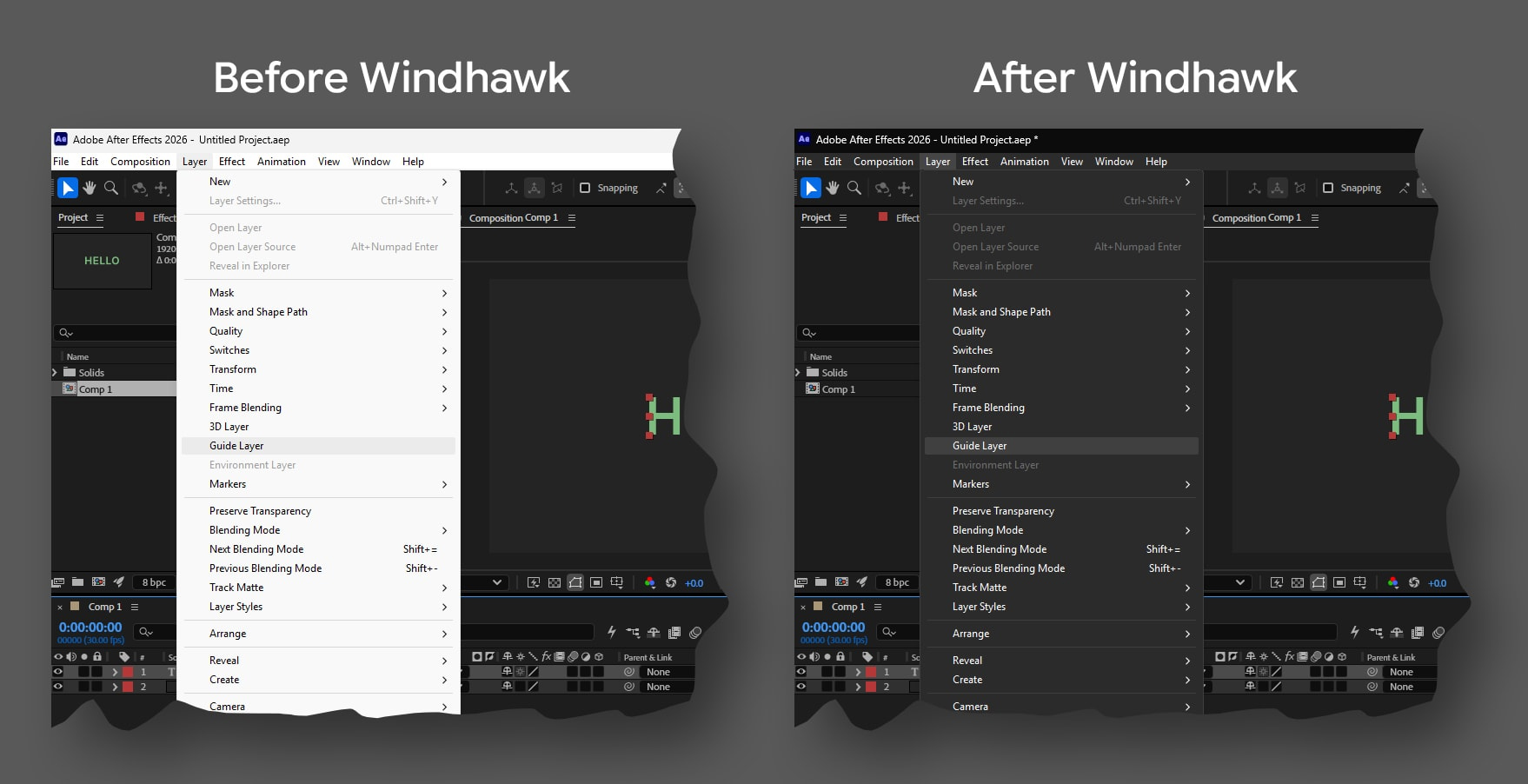
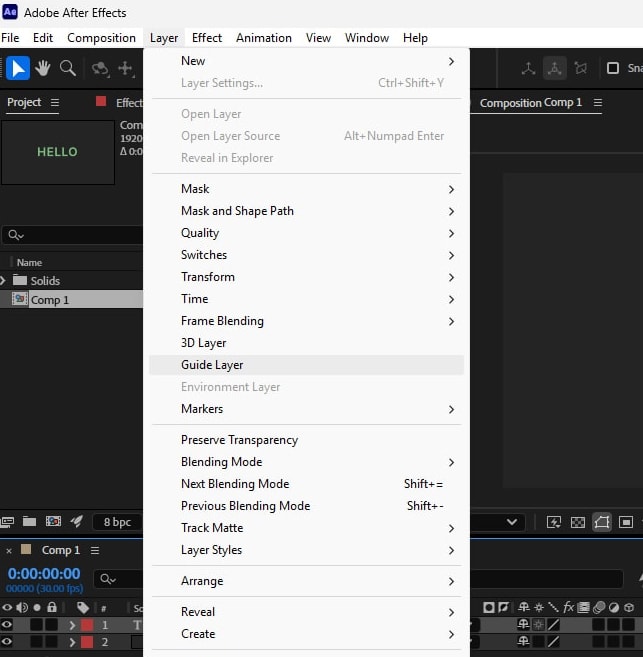
Okay so you set After Effects to the darkest interface theme. You set Windows to dark mode. Everything looks right, the panels are dark, the timeline is dark, your eyes are happy at two in the morning. Then you click on the Layer menu and a bright white rectangle fires straight into your face.
If you work on Windows, you know exactly the moment I am describing. The menus in Adobe apps have refused to follow the dark theme for years. Not the interface, not the panels, just the dropdowns and the right click menus and, depending on the app, the title bar too. It is a small thing that happens roughly four hundred times a day.
People have been asking Adobe about it for a long time. There are open threads on the Adobe community forums for After Effects, for Premiere, and for Photoshop, some of them years old, all saying the same thing. Mac users have never had this problem. On Windows it has just become one of those things you learn to live with.
Well, you do not have to live with it, because there is a fix, and it is free, and it takes about five minutes, and this article walks you through all of it.
Why Adobe menus stay white on Windows
The dark interface inside Photoshop, After Effects or any other Adobe app is drawn by the app itself. Meaning the panels, the toolbars, the timeline, all of that is Adobe’s own code painting Adobe’s own colors. But the dropdown menus are a different story.
Those are classic Win32 menus, an old part of Windows operating system that predates dark mode by decades, and they take their colors from the system rather than from the app. Windows never gave those old menus a dark mode support that apps get for free, apps have to opt in and do work for it, and Adobe never did. So the app goes dark and the menus stay in 1995.
The useful part of that is the fix does not need to come from Adobe. If the colors are decided at the Windows level, they can be changed at the Windows level.
The tool that fixes it: Windhawk
Windhawk is a free and open source customization tool for Windows, made by Ramen Software. Think of it as a mod platform for your operating system. It has a library of small mods written in C++ programming language, each one fixing or changing a specific behavior, and you install them from inside the app with a single click.
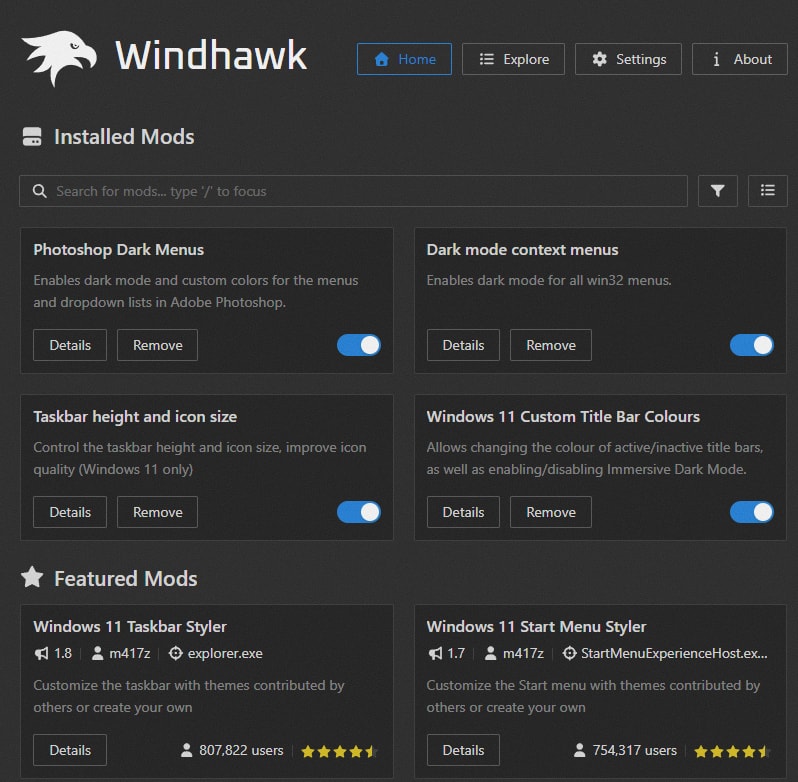
It is not a theme engine and it does not patch any files on disk. Mods load into a running process and change how that process draws itself while it is open, so turning one off puts everything back exactly as it was.
They say it is genuinely one of the most impressive Windows customization projects available. It is revolutionary because it brings deep, rough Windows customization to a lightweight, modular framework which is above all designed to minimize performance impact.
Install it from windhawk.net and open it. You will land on the Explore tab, which is where you search for mods.
Step 1: Fix the menus in After Effects, Premiere, Illustrator, Lightroom and the rest
Search the Explore tab for Dark mode context menus and install it. The mod page is at windhawk.net/mods/dark-menus.
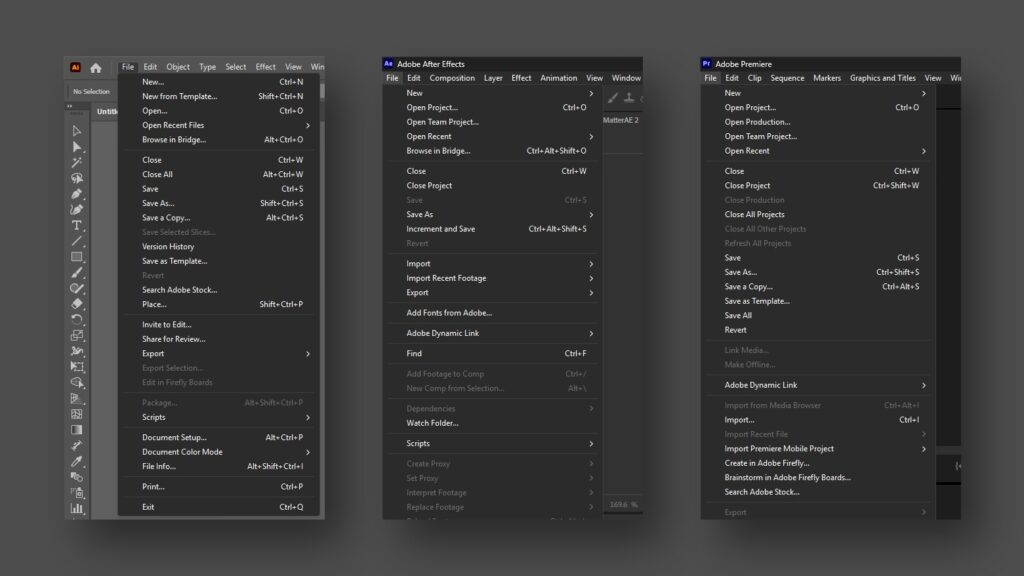
This one switches Win32 menus to the dark menu theme Windows already ships but does not apply broadly. It works system wide, so it is not only Adobe apps that benefit, everything with an old style menu gets darker.
For most Adobe apps this is the whole fix. After Effects, Premiere Pro, Illustrator, InDesign, Audition and friends all pick it up. Open the app, click a menu, and it comes down dark.
Step 2: Fix the title bar too
While you are in there, search for Windows 11 Custom Title Bar Colours and install that as well. The mod page is at windhawk.net/mods/win11-custom-title-bar-colours.
The title bar is the other half of the problem. A bright title bar sitting on top of a dark app looks wrong, and this mod lets you set its color directly rather than hoping Windows guesses well. Something close to Adobe’s own dark gray works, a value around #2D2D2D sits nicely next to most of the darkest themes.
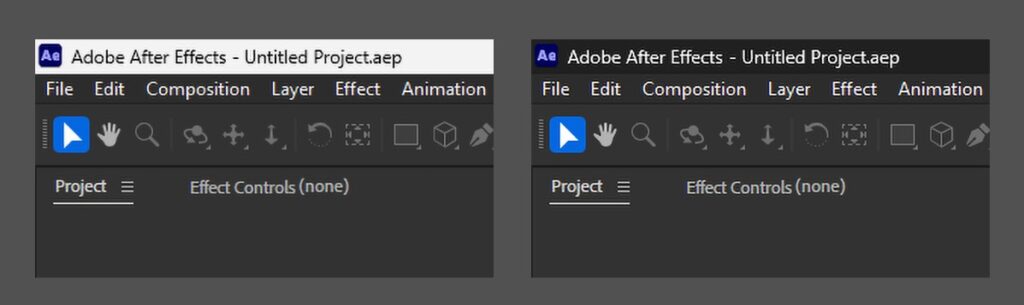
Two mods, five minutes, and most of your Adobe apps look the way they should have looked all along.
Step 3: Photoshop, the one that refused
Well, here is where it gets interesting.
It does nothing in Photoshop. Same Windows, same Windhawk, same mod, dark menus everywhere except the one app half the audience actually cares about.
The reason is a little funny. Photoshop’s menus look like plain old Windows menus, but they are not. Photoshop draws every menu item itself, by hand, inside its own process, and it asks Windows for colors through a route the dark menu theme never touches. So the theme gets applied, Photoshop ignores it completely, and you get a white menu drawn by an app that is otherwise perfectly dark.
No amount of system level theming was going to fix that. The only way to reach those menus was to get inside Photoshop and intercept the drawing itself.
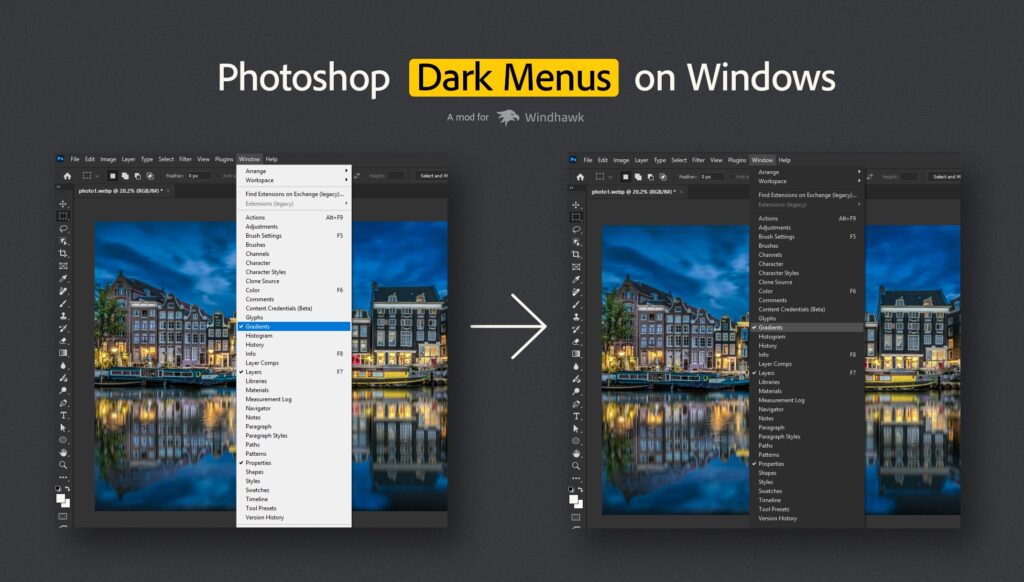
So I built a mod that does exactly that. It is called Photoshop Dark Menus and it is available now on Windhawk: windhawk.net/mods/photoshop-dark-menus.
Search for it in the Explore tab of Windhawk, click Install, and that is it. You do not even need to restart Photoshop. Menus that are already open in a running Photoshop pick up the new colors immediately.
What it covers:
- Every dropdown from the menu bar: File, Edit, Image, Layer, Type, Select, Filter, View, Window, Help
- Context menus, including the ones with submenus
- Dropdown lists inside the app, like the ones in the options bar
You can pick your own colors since the mod ships with sensible defaults that match Photoshop’s dark theme, but everything is adjustable from the Windhawk settings panel.
I have also built a repository for the Mod on GitHub where you can always download the latest version, report issues and have discussion about the mod.
Run it alongside the other mod
This is the part worth being clear about, because it trips people up. Photoshop Dark Menus and Dark mode context menus are not alternatives. Run both.
They cover different things. A handful of menus in Photoshop are put up by Windows rather than drawn by Photoshop, the context menu on a panel tab being the obvious one, and those are exactly the ones the system wide mod handles and mine cannot reach. The rest are the reverse. Installed together they cover each other’s gaps, with no conflicts.
What still stays light
Better to say this up front than have you hunt for a setting that does not exist. The font browser and the character cells in the Glyphs panel stay light, because Photoshop paints those from its own palette rather than from any system color. A window’s system menu, the small one from the icon in the corner, also keeps system colors, since Windows puts that one up through a path no in process mod can intercept.
Everything else, which is to say everything you actually click during a normal day of work, goes dark.
Now lets get to your frequently asked questions
Is this safe? It sounds like it is patching Photoshop.
Nothing on disk is modified. No file is changed. The mod simply changes how the app draws its menus while it is running, inside that process only using advanced high level C++ programming. No system colors are changed and no other application is affected. Turn it off and everything is back to normal.
Does Photoshop Dark Menus work with Premiere Pro or After Effects as well?
Those two do not need it. The system wide Dark mode context menus mod already covers them. Photoshop needed its own mod precisely because it is the odd one out.
Do I have to restart Photoshop after installing?
No. It picks up menus and dropdown lists in a Photoshop that is already open.
Will an Adobe update break it?
No, because it hooks standard Windows drawing calls rather than anything specific to a Photoshop version, so updates are unlikely to break it. If one ever does, the mod is open source and the issue tracker is open. Unless one day Adobe finally decides to fix this problem.
Is it free?
Yes, and open source under MIT. Windhawk is free too.
Once again, where to download all of these?
The pieces you need are one search away inside Windhawk:
- Dark mode context menus for all your Adobe apps and the rest of Windows
- Windows 11 Custom Title Bar Colours for the title bar
- Photoshop Dark Menus for Photoshop, plus the source on GitHub
If you find a bug or a menu I have missed, open an issue on the repo. Screenshots help more than descriptions here, and so does your Windows version and display scaling.
An annoyance that lasted years, gone in about five minutes.
Go turn it on and enjoy your dark menus!
Comments are closed.